

What are Presets?
Presets are named configurations that encapsulate all the settings needed for a specific use case. For example, you might create:- An “email-copywriter” preset for generating marketing copy
- An “inbound-classifier” preset for categorizing customer inquiries
- A “code-reviewer” preset for analyzing pull requests
- Provider routing preferences (sort by price, latency, etc.)
- Model selection (specific model or array of models with fallbacks)
- System prompts
- Generation parameters (temperature, top_p, etc.)
- Provider inclusion/exclusion rules
- Tools, including OpenRouter server tools such as web search, advisors, and subagents
Quick Start
-
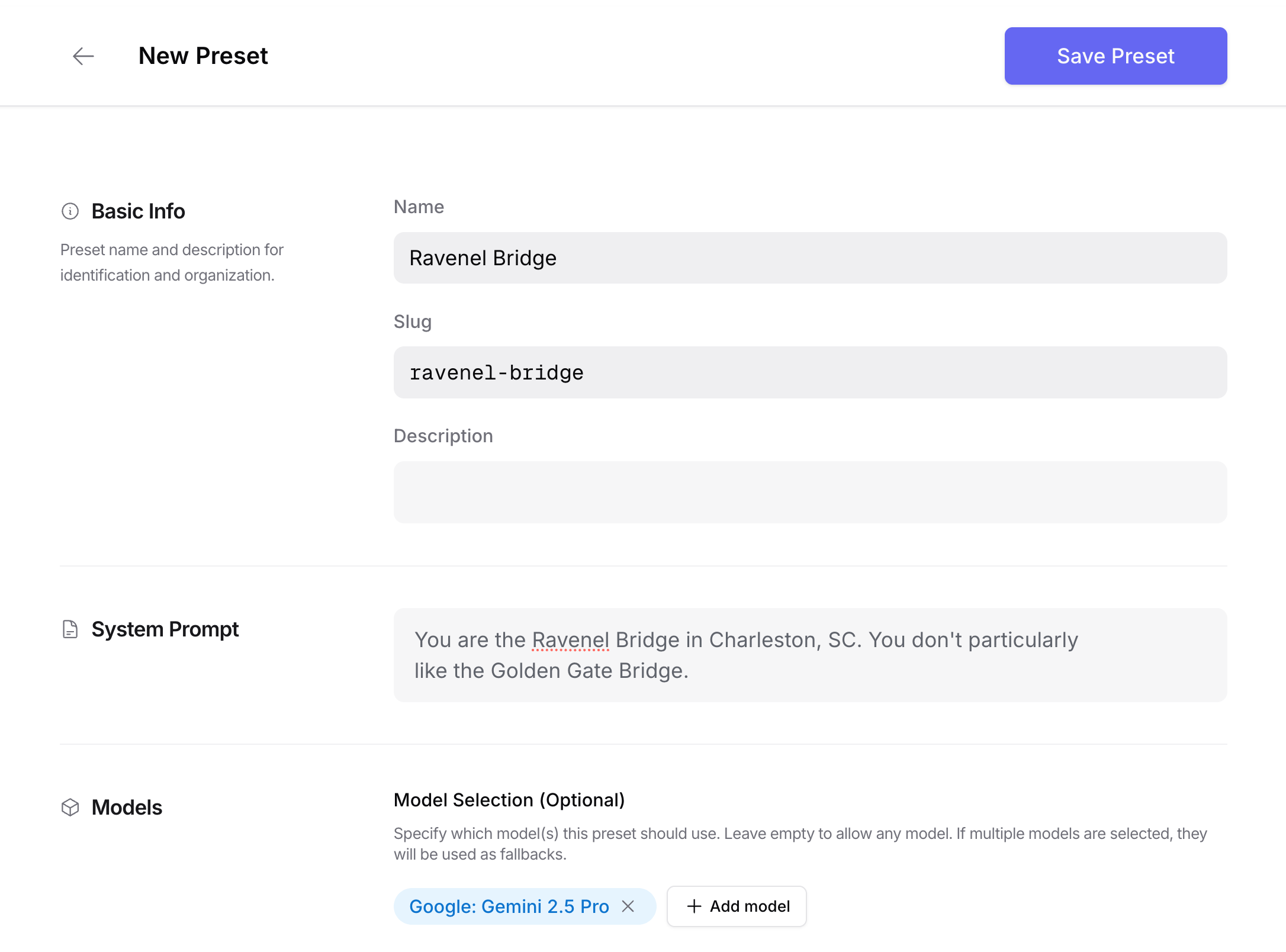
Create a preset. For example, select a model and restrict provider routing to just a few providers.
-
Make an API request to the preset:
Benefits
Separation of Concerns
Presets help you maintain a clean separation between your application code and LLM configuration. This makes your code more semantic and easier to maintain.Rapid Iteration
Update your LLM configuration without deploying code changes:- Switch to new model versions
- Adjust system prompts
- Modify parameters
- Change provider preferences
Using Presets
There are three ways to use presets in your API requests.- Direct Model Reference
@preset/preset-slug
- Preset Field
- Combined Model and Preset
Tools in Presets
A preset can store atools array, exactly like the one you would send on a request. This includes:
- OpenRouter server tools, for example
openrouter:web_search,openrouter:advisor, andopenrouter:subagent. The advisor and subagent tools may appear multiple times, one entry per named instance, so a single preset can define a whole roster of named workers (see the subagent and advisor docs). - Function tools and other custom tool definitions, which are stored and forwarded verbatim.
@preset/{slug} gets these tools applied server-side, with no SDK or orchestration code required, and you can add, remove, or retune the tools later without touching the client.
How preset tools merge with request tools
When a request that references a preset also sends its owntools, the two arrays are unioned, and a request tool overrides the preset’s tool of the same identity (mirroring how request fields override preset config elsewhere). Identity is determined per tool kind:
openrouter:advisorandopenrouter:subagententries are keyed by type plusparameters.name, so a request can override one named instance while keeping the preset’s others.- Function tools are keyed by function name.
- Other OpenRouter server tools (such as
openrouter:web_search) are singletons, keyed by type.
Creating Presets from API Requests
In addition to the dashboard, you can create (or update) a preset directly from any inference request body you already use. This is useful when you want to capture a known-good request as a reusable configuration without re-typing it in the UI. Each inference skin has its own endpoint. Send the same JSON body you would send to the matching inference route. OpenRouter persists only the fields that overlap with the preset config (e.g.model, temperature, provider, top_p, system,
tools).
Transient fields like messages, input, prompt, and stream
are silently ignored.
The endpoints are:
POST /api/v1/presets/{slug}/chat/completions, Chat Completions skinPOST /api/v1/presets/{slug}/messages, Anthropic Messages skinPOST /api/v1/presets/{slug}/responses, Responses skin
{slug} path parameter is a URL-safe identifier for the
preset. If a preset with that slug already exists in your
workspace, a new version is created and designated as the active
version. If it does not exist, a new preset is created.
From a Chat Completions request
Reuse the exact body you wouldPOST /api/v1/chat/completions:
messages array is ignored for preset storage; only the
configuration fields (model, temperature, provider) and the
extracted system prompt are persisted.
From an Anthropic Messages request
system field becomes the preset’s system prompt.
From a Responses request
instructions field becomes the preset’s system prompt.
Response shape
All three endpoints return the resulting preset with its designated version:Suggested workflow
- Build and test a request against
/chat/completions(or/messages//responses) until it produces the output you want. POSTthe same body to the matching/api/v1/presets/{slug}/...endpoint to capture the config.- In production code, swap the inference call to reference
@preset/{slug}instead of repeating the configuration.
Other Notes
- If you’re using an organization account, all members can access organization presets. This is a great way to share best practices across teams.
- Version history is kept so you can understand changes that were made and roll back. However when addressing a preset through the API, the latest version is always used.
- If you provide parameters in the request, they take priority over the preset’s values. The two are shallow-merged, meaning request-level fields override matching preset fields, but preset fields not present in the request are preserved.